
- Published on
Deploying OpenClaw on Raspberry Pi
- Authors

- Name
- Harvey Huang
- Github
- @Github
I recently managed to deploy OpenClaw on my Raspberry Pi 4 Model B. Overall, I quite like it. It is a very interesting open-source project depsite having some serious security concerns. Being a huge Halo fan, I always dreamed of having my ultimate personal AI assistant akin to Cortana. Sadly, Microsoft killed the project entirely and instead launched Copilot. After interacting with the OpenClaw agent for a while, I felt that it has the potential to become the full-scale Cortana I yearned for. Here I document setup notes and initial thoughts on openclaw agents.
Basics
In my case, an OpenClaw agent was deployed on the following gear:
- Raspberry Pi 4 Model B: 64-bit ARM CPU, 4GB RAM, 128 GB micro SD card.
- OS: Raspberry Pi OS Full (Linux) 4 Dec 2025, 64-bit (note 32-bit will not work!)
Software:
- Agent: OpenAI Codex (ChatGPT web authentication)
- User-agent communication/interaction is done via a Discord private guild.
- No plugins, only the native openclaw (version 2026.2.26, with the gateway security patch).
- No static IP or dynamic IP port forward required.
Setup
The Pi had an old 32-bit OS, and later I ran into a critical error when I attempted to install OpenClaw: Node.js 22.x does not support ARMHF anymore (see this discussion for details). After consulting multiple GitHub sources and ChatGPT, it turned out the easiest way was to reinstall the latest 64-bit Pi OS on my device. Pi Imager is a one-stop tool for burning the OS onto the SD card.
Once the OS is ready, installing OpenClaw on a Pi is a relatively smooth process; simply follow the steps on its getting-started page. I do recommend having Homebrew installed before OpenClaw. The QuickStart (defaults) option in the shell command openclaw onboard is suitable for beginners. However, be extra cautious: OpenClaw with default settings does have security vulnerabilities, especially with respect to gateway settings and API keys. If a user does not have at least a basic level of experience with network settings, OpenClaw can be quite dangerous. See this blog for a detailed summary of OpenClaw security issues.
The final step is to set up a bot instance in Discord. It is slightly more complicated than Telegram, but doable; just follow the Discord setup instructions. The only tricky part is setting up a bot application in the Discord Developer Portal; but no problem, if there is a question, ask GenAI. The main benefit of using Discord is that its native structure (guild/chat channel/voice channel) fits naturally with agent memory and context management, so I can create different channels within a guild.
First impression
Chat function
I started overall testing with the generic chat function by asking a few questions to my new agent. At this stage, the functionality is virtually the same as any Gen-AI Q&A website where you ``google'' a question for answers.
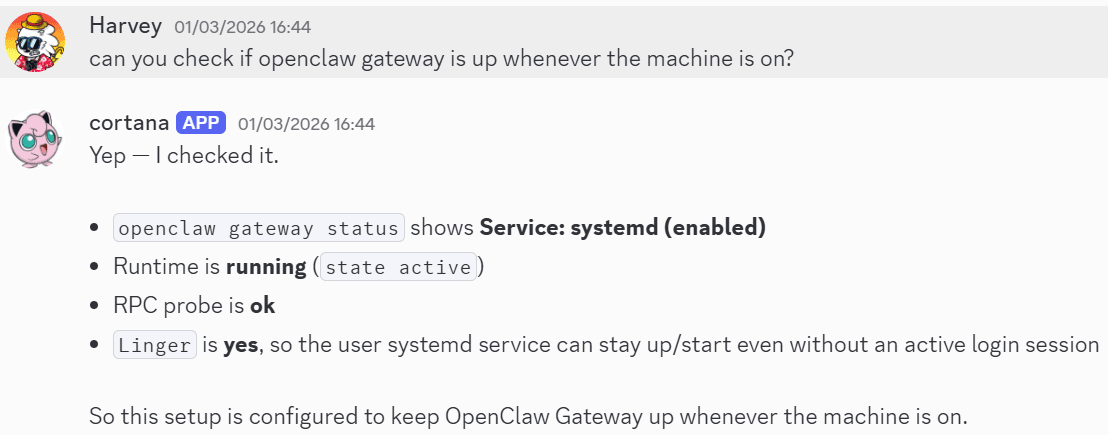
- Checking whether the service is auto-enabled.
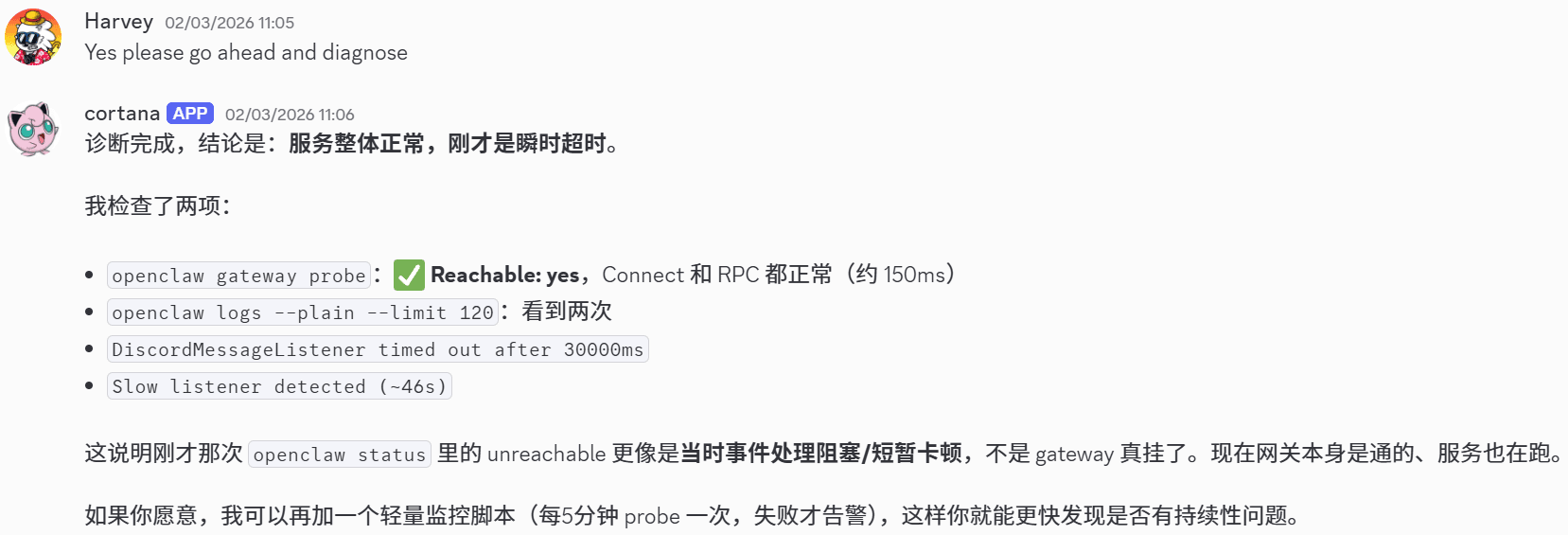
- The backend Gen-AI system is Codex (ChatGPT), so there is no surprise that other language support is also available. Below, I asked the agent whether it can handle Chinese via mobile Discord.

- The issue where ChatGPT may get confused with language still persists: I asked a question in English, and Codex somehow replied in Chinese. It is probably due to channel ``memory'', though it is not a deal breaker.
Beyond the chat functions
The next test was system-level controls and operations. GenAI CLI tools (e.g., Codex or Claude) are already pretty good at this, so I expected a similar level of performance. The test involved one of my daily workflows: activating a Python virtual environment.
- I started the test by creating a
skillmarkdown that describes the target workflow in natural language.
---
name: python
description: skills used to run python scripts
metadata:
{"openclaw":{"always":true,"emoji":"🦞","os":["darwin","linux"],"tags":["python","virtual environment"]}}
---

# Instructions

When the user asks to run a python scripts, if the user does not provide explicit instructions on python environment, always do the following:
1. Run shell script `source ~/Desktop/py_venv/general/bin/activate` to activate the default virtual environment.
2. If there is any package missing always run `pip install [PACKAGE]` so that the package is installed in the virtual environment.
3. Otherwise, if for whatever reason there is an error when attempting to install package or run script, exit the virtual environment and run the shell script `python3 venv -m ~/Desktop/py_venv/[PROJECT_NAME]` to create a new virtual environment and then activate this new environment and install all necessary packages.
4. Always report to the user which python environment you are using, for example, "The script is running using virtual environment `~/Desktop/py_venv/general/`".
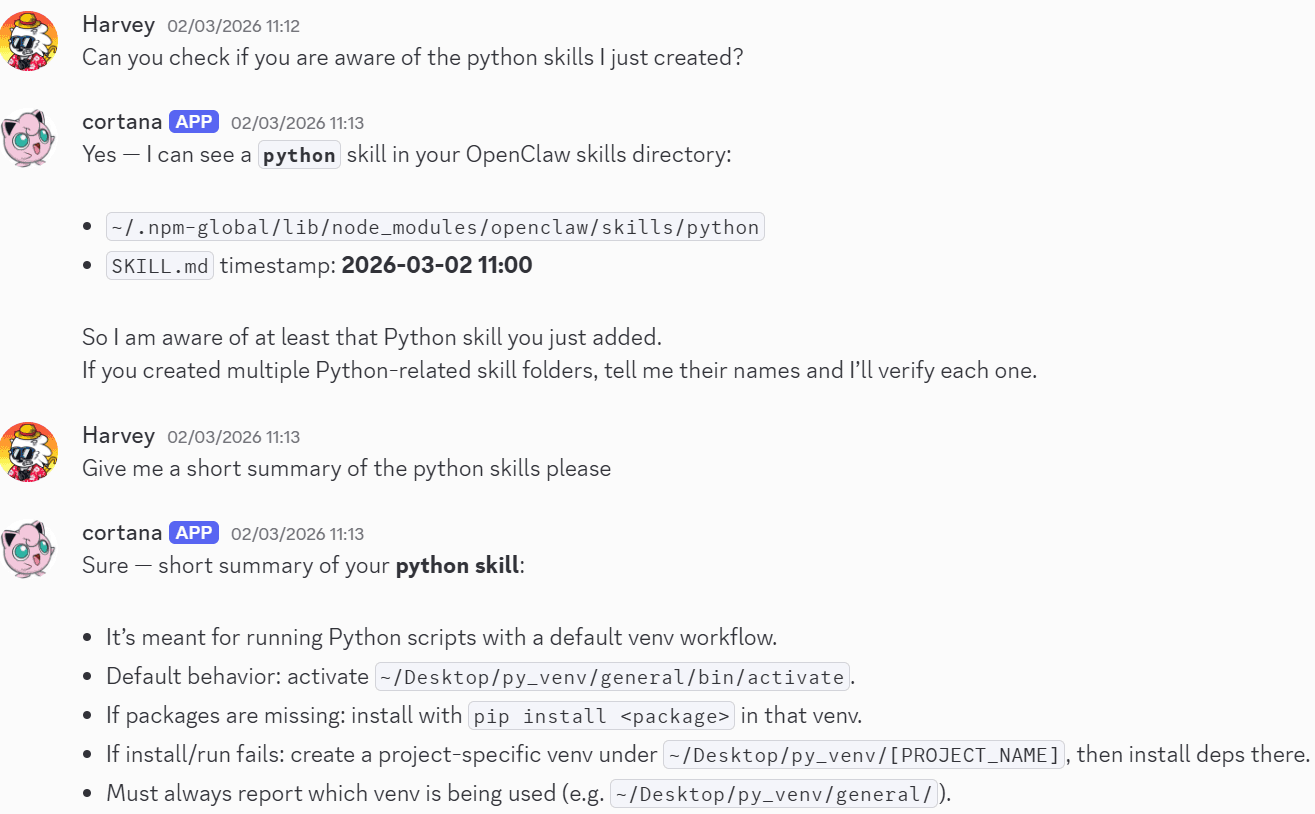
- Then I asked whether it was aware of the skill and, if so, to report a summary. The response could not have been better.
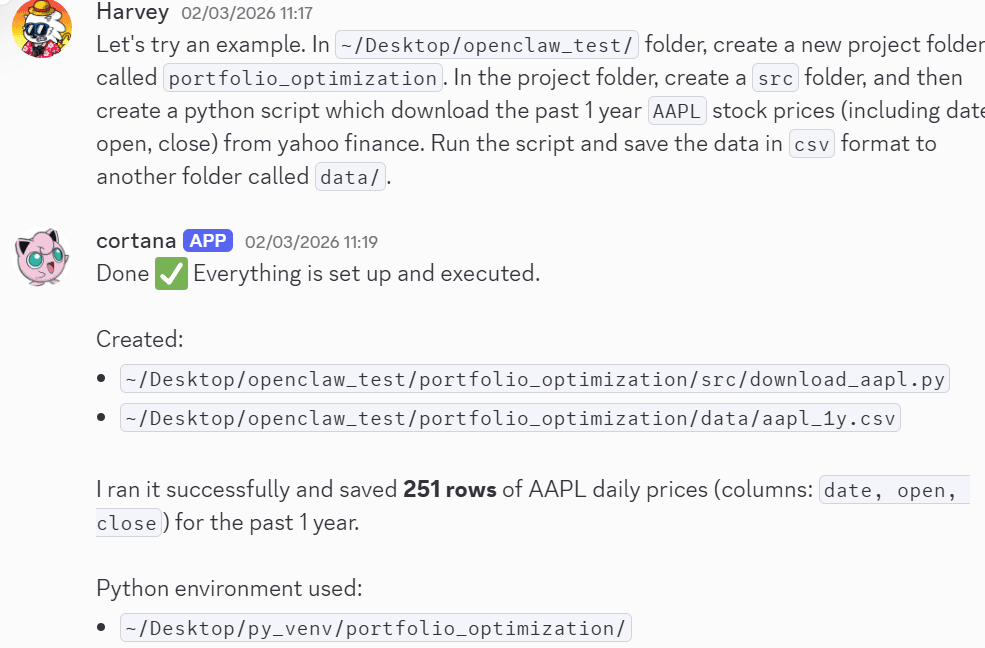
- Finally, a test project: creating a Python script that downloads stock price data from open sources. OpenClaw executed the task perfectly, with only one minor issue: it did not adhere to the aforementioned ``python skill''. There is an existing virtual environment available for use, yet somehow the agent decided to create a new one. A thorough investigation is required, but again this is not a deal breaker.
Thoughts
The good
In the pre-Gen-AI era, achieving a similar level of remote connection, task automation, and cron job scheduling will require hours of dull work, coding, testing, and debugging. For most individuals, the entry barrier is too high and the learning curve is quite steep; but now the tool has enabled individuals to implement ideas much faster, easier and cheaper. Effectively, it allows most people to ``hire'' multiple 24/7 personal assistants, and communicate through chat apps in a much user-friendlier way. Thus, the blockage is no longer sophisticated technology, but ideas and creativity.
The bad
The biggest threat is security. When tool deployment and setup implementation are ``masked,'' inevitably security details are omitted (or assumed, most people only care about the results). I'm still a bit baffled that someone would let agents gain total control over their own computer and expose the gateway to the public. I also noticed that there is a sweep of setup blogs recommending community-maintained plugins, some of which contain malware code.
New technology brings convenience, but the convenience comes with potential costs that most people are not aware of. It may appear rather counterintuitive, but I believe the ability to learn and do independent research is even more critical nowadays. Otherwise, how would one be able to judge the implementation, the security flaws, and whether the agent is hallucinating?
``Do your own research'' is more important than ever.